
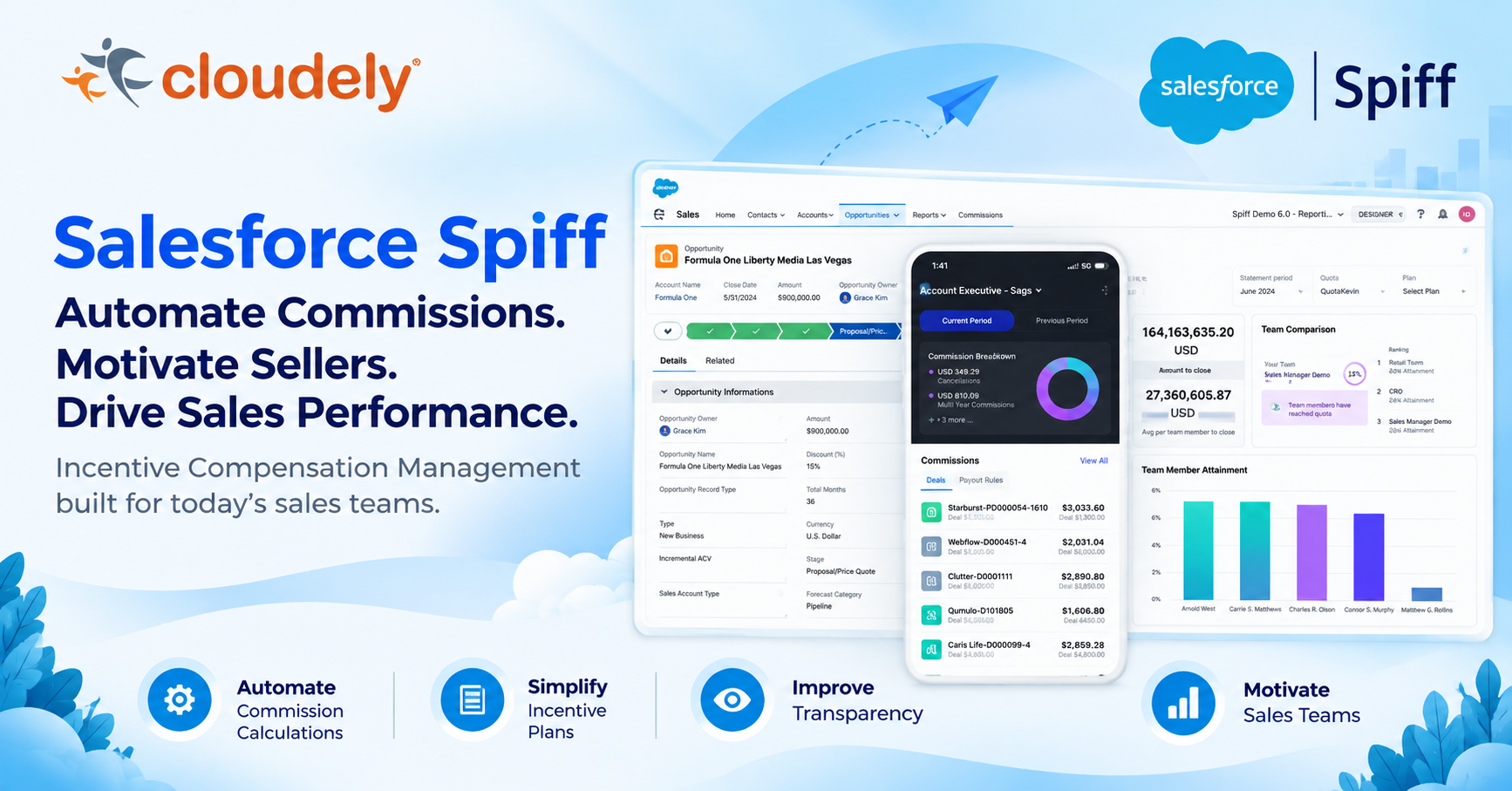
Your sales team is closing deals. But does everyone know what they are earning?
Imagine a sales organization with hundreds of representatives, multiple territories, different compensation plans, quarterly targets, accelerators, product-specific incentives, and complex commission calculations.
The sales team wants to know how much they have earned. Sales managers want to understand team performance. Finance needs accurate commission calculations and expense visibility. Operations teams are spending valuable time reconciling spreadsheets, investigating disputes, and correcting errors.
The result?
- Commission calculations become difficult to manage.
- Sales representatives lack visibility into their earnings.
- Incentive plans become increasingly complex.
- Finance teams struggle with reconciliation and reporting.
- Sales managers find it difficult to connect performance with compensation.
- Manual processes create delays, errors, and unnecessary administrative work.
Sales compensation should motivate sales performance, not become an operational challenge.
This is where Salesforce Spiff makes a difference.
Salesforce Spiff helps organizations automate incentive compensation management, simplify commission calculations, provide real-time earnings visibility, and connect sales performance with business objectives.
In this guide, we explore Salesforce Spiff’s capabilities, how its features work together, practical enterprise use cases, and the implementation practices organizations should consider.
What Is Salesforce Spiff?
Salesforce Spiff is an incentive compensation management platform that helps organizations design, automate, manage, and monitor sales commission programs.
It enables businesses to move away from spreadsheet-driven commission processes toward a structured and transparent compensation management solution.
With Salesforce Spiff, organizations can:
- Design and manage commission plans.
- Automate complex commission calculations.
- Configure payout rules, tiers, and accelerators.
- Manage quotas, teams, and plan assignments.
- Provide representatives with commission statements.
- Estimate potential commissions during the sales process.
- Automate approvals and compensation workflows.
- Track sales performance through reports and dashboards.
- Maintain audit trails and commission calculation transparency.
- Connect commission data with CRM and other business systems.
The objective is straightforward: help sales teams understand their earnings, managers improve performance visibility, and finance teams manage compensation with greater control.
Why Organizations Need Incentive Compensation Management
Traditional commission management often depends on spreadsheets, manual calculations, and disconnected systems.
Consider a company with 500 sales representatives operating across multiple regions.
Each region may have different:
- Commission percentages.
- Revenue targets.
- Product incentives.
- Territory structures.
- Quota assignments.
- Performance accelerators.
- Compensation periods.
- Approval requirements.
Managing these variations manually can become difficult as the business grows.
| Business challenge | How Salesforce Spiff helps |
|---|---|
| Manual commission calculations | Automates commission calculation logic |
| Complex compensation plans | Provides configurable plans and payout rules |
| Limited earnings visibility | Provides individual commission statements |
| Disputes over calculations | Provides calculation tracing and transparency |
| Changing sales targets | Supports quota and plan management |
| Multiple currencies | Supports foreign currency conversion |
| Delayed approvals | Supports automated and configurable approval workflows |
| Limited management visibility | Provides reports and dashboards |
| Audit and reconciliation challenges | Provides audit logs and activity tracking |
The real value is not simply automating calculations. It is creating a more transparent and manageable compensation process.
Salesforce Spiff: Explore the Key Features and Capabilities
Salesforce Spiff offers capabilities across commission plan design, calculations, data management, statements, reporting, approvals, and governance.
Let’s explore the major features.
1) Spiff Designer – Build and Manage Commission Plans
Spiff Designer is the foundation of commission plan configuration.
It provides a familiar, spreadsheet-style experience for building compensation logic and managing the components used in commission calculations.
Administrators can create and manage:
- Commission plans.
- Worksheets.
- Datasheets.
- Data filters.
- Payout rules.
- Quota tables.
- Lookup tables.
- Range tables.
- Shared calculations and reusable logic.
- Folders for organizing plan components.
Business value: Organizations can manage different compensation structures without relying on separate spreadsheets for every sales team.
2) Plan Management – Manage Compensation Structures
Plans define how sales representatives earn commissions.
Organizations can create different plans based on:
- Sales roles.
- Business units.
- Regions and territories.
- Products and product categories.
- Revenue targets.
- Individual or team performance.
- Compensation periods.
Spiff also supports plan assignments and effective dates to manage when representatives become eligible for specific plans.
Example:
A company may have:
| Sales role | Compensation approach |
|---|---|
| Account Executive | Revenue-based commission |
| Enterprise Account Manager | Renewal and expansion incentives |
| Channel Sales Manager | Partner revenue incentives |
| Regional Sales Manager | Team performance incentives |
Plan management helps align compensation structures with organizational goals.
3) Data Management and Data Filters
Commission calculations are only as reliable as the underlying data.
Salesforce Spiff supports data ingestion and synchronization from connected systems, allowing organizations to bring relevant business information into their commission model.
Key capabilities include:
- Data synchronization.
- Field mapping.
- Data filters.
- Data organization.
- Plan-specific data selection.
- Data preparation for calculations.
- Mass Data Management for supported bulk operations.
- Data synchronization activity monitoring.
Data filters help control which records are considered for a specific commission calculation.
Example:
An enterprise organization may pay commission only on closed-won opportunities where:
- Opportunity Stage = Closed Won.
- Opportunity Owner = Eligible Sales Representative.
- Product Category = Enterprise Software.
- Revenue is eligible for commission.
- Transaction falls within the applicable compensation period.
This helps ensure that commission rules operate on the intended business records.
4) Worksheets, Datasheets, and Calculation Functions
Spiff Designer provides worksheets and datasheets for organizing calculation logic and working with the data required by compensation plans.
Functions help administrators calculate values, reference data, apply conditions, and manage different data types.
These capabilities are useful for:
- Revenue calculations.
- Commissionable amount calculations.
- Quota attainment.
- Conditional incentives.
- Performance-based calculations.
- Reusable calculation logic.
- Data transformation and aggregation.
Best practice: Keep calculations modular and reusable. Avoid duplicating complex formulas across multiple plans when a common calculation can be maintained centrally.
5) Lookup Tables, Range Tables, and Quota Tables
Tables help organizations manage structured compensation data without hardcoding every value into payout rules.
Lookup Tables
Used to retrieve values based on defined reference criteria.
Example: Different commission rates for product categories or sales roles.
Range Tables
Used to associate values with defined ranges or thresholds.
Example: Commission rates based on revenue bands.
Quota Tables
Used to manage quota-related information that supports compensation and performance calculations.
Example: Different quarterly targets for representatives based on territory and sales role.
These tables make compensation models easier to maintain when business rules change.
6) Payout Rules – Automate Commission Calculations
Payout rules are among the most important components of Salesforce Spiff.
They define how eligible sales activity translates into commission payouts.
Organizations can configure different calculation approaches, including:
- Line-by-line commission calculations.
- Lump-sum calculations.
- Marginal payout structures.
- Tier-based payouts.
- Accelerator-based calculations.
- Performance-based incentives.
- Conditional payout logic.
Example: Revenue-based commission
A sales representative closes $100,000 in eligible revenue.
If the commission rate is 5%, the commission is:
$100,000 × 5% = $5,000.
Example: Tiered commission
| Quarterly revenue | Commission rate |
|---|---|
| First $50,000 | 3% |
| Next $50,000 | 5% |
| Above $100,000 | 7% |
In a marginal payout structure, each portion of revenue is calculated at its applicable rate.
For $120,000 revenue:
- First $50,000 × 3% = $1,500.
- Next $50,000 × 5% = $2,500.
- Remaining $20,000 × 7% = $1,400.
Total commission = $5,400.
The correct payout structure depends on the organization’s compensation policy. Marginal and whole-tier approaches should not be treated as interchangeable.
7) Accelerators and Tier Payouts – Reward High Performance
Accelerators encourage representatives to exceed their assigned targets.
For example:
| Quota attainment | Commission rate |
|---|---|
| Below 80% | 3% |
| 80%–100% | 5% |
| 100%–120% | 7% |
| Above 120% | 10% |
A business can use payout rules and supporting tables to implement its approved incentive structure.
Accelerators can help organizations reward:
- High-performing sales representatives.
- Strategic product sales.
- New customer acquisition.
- Revenue growth.
- Target overachievement.
Business value: Compensation becomes more closely aligned with the outcomes the organization wants to encourage.
8) Shared Rollups and Team-Based Compensation
Not every sale is completed by one representative.
Enterprise deals may involve account executives, solution consultants, channel managers, and regional sales leaders.
Shared rollups and related calculation logic can help support team-based performance and compensation models.
Example:
A $500,000 enterprise opportunity involves three eligible contributors.
| Contributor | Credit allocation |
|---|---|
| Account Executive | 60% |
| Solution Specialist | 25% |
| Regional Manager | 15% |
The eligible commissionable credit can be allocated based on the organization’s approved compensation policy.
Business value: Organizations can support collaborative selling while maintaining visibility into individual contributions.
9) Commission Statements – Give Representatives Earnings Visibility
Commission statements provide sales representatives with visibility into their earnings for a specific period and plan.
Statements can show:
- Commission amounts.
- Performance metrics.
- Payout rule details.
- Eligible transactions.
- Quota attainment.
- Commission calculations.
- Relevant plan information.
Administrators can also review and manage statements.
Important statement capabilities include:
- Customizing statement layouts.
- Displaying selected metrics.
- Custom metric cards.
- Custom display names and text.
- Tooltips and explanatory information.
- Hiding empty metrics.
- Freezing and resizing payout table columns.
- Calculation tracing.
- Freezing and unfreezing statements.
- Recalculating eligible statements.
- Managing statement-related issues.
Capture Trace helps representatives and administrators understand how a commission amount was calculated by examining the underlying metrics and transactions.
Business value: Greater transparency can reduce confusion and help build trust in the compensation process.
10) Commission Estimator – Understand Potential Earnings
The Commission Estimator helps sales representatives and managers understand potential commission earnings earlier in the sales process.
It can provide commission estimates using relevant opportunity or quote information within supported Salesforce experiences.
For example:
A sales representative is working on a $200,000 opportunity.
The configured compensation model estimates potential earnings based on:
- Expected revenue.
- Applicable commission rules.
- Quota attainment.
- Eligible plan assignment.
- Relevant performance conditions.
The representative can use this information to understand the potential compensation impact of the opportunity.
Business value: Representatives gain better visibility into how their sales activities may influence their earnings.
11) Reporting and Dashboards – Turn Commission Data into Insights
Salesforce Spiff provides reporting capabilities for representatives, managers, administrators, and finance teams.
Standard reports and reporting capabilities include:
- Individual commission breakdowns.
- Team performance summaries.
- Commission trends over time.
- Obligation reports.
- Statement reports.
- Commission expense reports.
- Audit-related reporting.
Custom Table Reports
Administrators and managers can build reports using selected fields, calculations, and metrics.
Reporting capabilities include:
- Adding and removing columns.
- Filtering by plan, team, period, or representative.
- Sorting and filtering columns.
- Grouping records.
- Pivoting numerical data.
- Sharing reports.
- Downloading reports.
Dashboards
Dashboards bring related reports together for easier analysis.
Managers can use dashboards to monitor:
- Team performance.
- Individual attainment.
- Commission trends.
- Sales performance.
- Compensation outcomes.
The Leader Dashboard supports management visibility into team pacing, comparisons, rankings, and attainment.
Data 360 reporting also provides an option to use Spiff reporting data in broader analytics and data environments.
12) Approvals and Workflow Management
Commission plans and compensation processes may require multiple levels of review.
Salesforce Spiff supports workflow management and configurable approval routes.
Relevant capabilities include:
- Automated approvals.
- Mobile approvals.
- Customizable approval routes.
- Approval tracking.
- In-app commenting and notifications.
- Dispute resolution.
- Document management.
Example:
A representative submits a compensation-related request.
- The request enters the configured approval process.
- The manager reviews the request.
- Finance reviews it where required.
- The authorized approver makes a decision.
- The approval activity is available for tracking.
The exact approval path depends on the organization’s configured workflow.
13) Document Management and Document Designer
Compensation programs often require documents such as plan agreements and compensation-related communication.
Spiff supports document management and document generation capabilities.
Document Designer supports templates with dynamic merge fields that can retrieve live Spiff data.
This can include information such as:
- User email.
- Team names.
- Plan assignment names.
- Synced user fields.
Dynamic merge fields help reduce manual document preparation and keep generated documents aligned with current system information.
14) Currency Conversion and Commission Adjustments
Organizations operating across countries and regions may need to calculate commissions using multiple currencies.
Salesforce Spiff supports foreign currency conversion and commission adjustments.
These capabilities can help businesses manage:
- Multi-currency sales transactions.
- Regional compensation programs.
- Commission corrections.
- One-off adjustments.
- Changes to eligible compensation amounts.
Best practice: Define the source currency, conversion policy, applicable rates, and financial ownership rules before implementing multi-currency compensation.
15) Commission Expensing – Support Finance and Compliance
Commission expense management is important for organizations that need to account for the costs associated with acquiring customer contracts.
Salesforce Spiff provides commission expense reporting capabilities that support finance processes associated with ASC 606 and IFRS 15.
Finance teams can use relevant reporting data to support:
- Commission expense reporting.
- Contract acquisition cost analysis.
- Financial reconciliation.
- Period-based expense visibility.
- Audit preparation.
Accounting treatment and compliance decisions should always be validated by the organization’s finance and accounting teams.
16) Mobile Application – Commission Visibility on the Go
Sales representatives and managers do not always work from a desktop.
The Salesforce Spiff mobile application helps users access commission information while on the move.
Mobile capabilities include:
- Viewing commission details.
- Reviewing earnings information.
- Accessing relevant statements.
- Supporting mobile approval workflows.
This gives sales teams more flexibility to stay connected with their compensation information.
17) Integrations and Data Connectivity
Commission management often depends on data from multiple enterprise systems.
Salesforce Spiff supports integrations and direct data synchronization to help connect relevant business information.
Potential connected systems include:
- Salesforce CRM.
- ERP platforms.
- HR and workforce systems.
- Payroll systems.
- External business applications.
Organizations can use supported connectors and integration approaches to bring the required data into their commission process.
Additional capabilities include automated payouts and data synchronization activity monitoring.
Best practice: Define the system of record for sales transactions, employee information, quota data, currency information, and payout status before designing integrations.
18) System Activity Log, Audit Trails, and Governance
Commission calculations directly influence employee compensation. Therefore, transparency and auditability are essential.
Salesforce Spiff provides audit and activity tracking capabilities.
These include:
- Payout rule version history.
- Data filter and variable history.
- User and team changes.
- Plan and quota assignments.
- Approval activity.
- Adjustment tracking.
- Login activity.
- Data synchronization activity.
The System Activity Log supports investigation and audit processes.
Recent 2026 enhancements also include asynchronous activity-log exports, SHA-256 checksum support, and a publicly available export API.
Business value: Organizations gain stronger visibility into configuration changes and operational activities.
19) Sandboxes and Change Sets – Controlled Configuration Deployment
Changes to commission logic can affect employee earnings. Testing before production deployment is essential.
Salesforce Spiff provides sandbox and change set capabilities.
Organizations can:
- Create an isolated sandbox.
- Update commission plans and calculation logic.
- Test configuration changes.
- Validate change sets.
- Review dependencies.
- Submit changes for approval.
- Deploy approved changes to the parent or production environment.
- Monitor deployment history.
A key implementation consideration is that validating a change set does not by itself prove that the commission calculations produce the expected results. Representative scenarios and calculated statements must also be tested.
Business value: A structured deployment process helps reduce the risk of introducing errors into live compensation calculations.
20) Data Optimization and Performance Management
As organizations scale, commission calculations can involve large transaction volumes, complex data filters, and multiple calculation dependencies.
Salesforce Spiff provides guidance and capabilities to help administrators optimize performance.
Important considerations include:
- Efficient data filters.
- Upstream data management.
- Calculation encapsulation.
- Reusable calculation logic.
- Dynamic logic optimization.
- Payout rule table performance.
- Monitoring data processing activity.
2026 enhancements also increased payout rule table loading capacity to support up to 10,000 rows at once.
Best practice: Design the data model and calculation architecture for scale from the beginning instead of waiting for performance issues to appear.
Salesforce Spiff Feature Summary
Here is a consolidated view of the major capabilities covered in this guide.
| Feature area | Key capabilities |
|---|---|
| Spiff Designer | Plan design, worksheets, datasheets, folders |
| Plan Management | Plans, assignments, effective dates |
| Data Management | Data sync, field mapping, data filters |
| Calculation Engine | Functions, formulas, reusable calculations |
| Tables | Lookup, range, quota tables |
| Payout Rules | Line-by-line, lump-sum, marginal and tiered calculations |
| Incentive Design | Accelerators, tiers, conditional payouts |
| Team Compensation | Shared rollups and team-based calculation logic |
| Statements | Rep statements, metrics, customization, tracing |
| Commission Estimator | Potential earnings estimates |
| Reporting | Standard reports, custom table reports |
| Dashboards | Team performance, Leader Dashboard |
| Approvals | Automated approvals, approval routes, mobile approvals |
| Documents | Document management, dynamic merge fields |
| Currency | Foreign currency conversion |
| Adjustments | Commission adjustments |
| Finance | Commission expense reporting |
| Mobile | Commission visibility and mobile workflows |
| Integrations | Direct data syncs and supported connectors |
| Payouts | Automated payout capabilities |
| Governance | Audit logs, activity tracking, tracing |
| Deployment | Sandboxes, change sets, validation |
| Performance | Data optimization and calculation efficiency |
Latest Salesforce Spiff Updates – 2026
Salesforce continues to enhance Spiff’s administration, reporting, integration, and governance capabilities.
Some notable 2026 updates include:
Workato sandbox integration testing
Organizations can test Workato data integration recipes and connections in a Spiff sandbox before promoting changes to production.
Improved quota type handling
New sandboxes automatically copy quota types from their parent environment with matching IDs.
Enhanced change set history
Administrators can review submission, validation, approval or rejection, and deployment history.
Dynamic document merge fields
Document templates can pull live Spiff user and plan assignment data without requiring a separate spreadsheet upload.
Improved System Activity Log exports
Large activity-log exports can run asynchronously, with SHA-256 checksum support and API access.
Expanded payout rule table capacity
Payout rule tables can load up to 10,000 rows at once, improving access to transaction-level commission details.
Reporting improvements
New report metadata and processing status fields provide better visibility into reporting and data export activity.
Performance guidance
Updated documentation covers data filter performance, upstream data management, calculation encapsulation, and dynamic logic best practices.
These updates are particularly relevant to organizations managing large commission programs and controlled configuration deployments.
Real-World Enterprise Scenario: How Salesforce Spiff Works Together
Consider a global technology company with:
- 500 sales representatives.
- 5 regional sales teams.
- Multiple product categories.
- Different quarterly quotas.
- Revenue-based and product-based incentives.
- Individual and team commission plans.
- Multiple currencies.
The company wants to automate its commission management process.
Step 1 – Connect the data
Bring relevant opportunity, revenue, employee, quota, and other required information into Spiff from supported connected systems.
Step 2 – Design compensation plans
Create plans for account executives, regional managers, and specialist sales teams.
Step 3 – Configure calculations
Build worksheets, datasheets, filters, tables, and payout rules to implement the approved compensation policy.
Step 4 – Configure quotas and accelerators
Define the applicable targets and performance-based incentive structures.
Step 5 – Calculate commissions
Calculate eligible payouts using the configured commission logic.
Step 6 – Provide statements
Give representatives visibility into their commission breakdowns and calculation details.
Step 7 – Enable management reporting
Use reports and dashboards to monitor team performance, quota attainment, and commission trends.
Step 8 – Support approvals and finance
Configure relevant approval processes and commission expense reporting.
Step 9 – Govern and optimize
Monitor audit activity, test changes in sandboxes, deploy approved changes, and optimize calculation performance.
The outcome is a more structured compensation process that connects sales activity, incentive calculations, management visibility, and finance operations.
Salesforce Spiff Implementation: Best Practices
A successful implementation requires more than configuring commission percentages.
Organizations should consider the following practices.
1. Start with compensation policy discovery
Understand the existing compensation policies, eligibility criteria, sales roles, quotas, territories, and exceptions before configuring the system.
2. Define the source of truth
Identify which system owns opportunity, revenue, employee, quota, and financial information.
3. Build reusable calculation components
Use shared worksheets, datasheets, tables, and reusable logic wherever appropriate.
4. Keep payout rules understandable
Avoid unnecessary complexity. Document the business purpose and calculation logic behind each rule.
5. Establish effective-date policies
Define how plan changes, transfers, promotions, and employee exits affect commission eligibility.
6. Test with real business scenarios
Validate new hires, transfers, cancellations, split credits, renewals, adjustments, accelerators, and exceptions.
7. Validate historical commission calculations
Compare representative historical results against approved finance calculations before production deployment.
8. Establish approval and dispute processes
Define ownership, approval thresholds, exception handling, and escalation procedures.
9. Implement controlled deployment
Use sandboxes, change sets, dependency reviews, and post-deployment validation.
10. Monitor performance and governance
Review synchronization activity, processing status, audit logs, calculation performance, and statement accuracy.
How Cloudely Helps Organizations with Salesforce Spiff
Implementing incentive compensation management requires an understanding of sales operations, finance policies, Salesforce data, and commission calculation logic.
Cloudely can help organizations plan and implement Salesforce Spiff through a structured delivery approach.
Our proposed service areas include:
Compensation Discovery and Assessment
- Review existing commission processes.
- Identify manual activities and business challenges.
- Assess compensation policies and exceptions.
- Define functional and technical requirements.
Solution Design
- Design commission plan structures.
- Define data sources and integration requirements.
- Map calculation rules and compensation scenarios.
- Design reporting and approval requirements.
Salesforce Spiff Configuration
- Configure plans and assignments.
- Build worksheets and datasheets.
- Configure data filters and calculation logic.
- Implement payout rules, tiers, and accelerators.
- Configure statements and dashboards.
Integration and Data Management
- Design data synchronization.
- Map Salesforce and external data.
- Validate data quality.
- Establish monitoring and reconciliation processes.
Testing and Deployment
- Execute scenario-based testing.
- Validate commission calculations.
- Configure sandbox deployment processes.
- Support user acceptance testing and production rollout.
Optimization and Continuous Improvement
- Review calculation performance.
- Improve reporting and visibility.
- Support compensation plan changes.
- Establish governance and operational practices.
Our objective is to help businesses build a scalable, transparent, and maintainable incentive compensation solution.
Frequently Asked Questions About Salesforce Spiff
What is Salesforce Spiff used for?
Salesforce Spiff is used to design, automate, and manage sales incentive compensation programs. It helps organizations calculate commissions, manage compensation plans, and provide representatives with earnings visibility.
Can Salesforce Spiff handle complex commission structures?
Yes. Spiff supports configurable payout rules, tiered calculations, accelerators, quota tables, lookup tables, range tables, and other calculation capabilities to support complex compensation models.
Does Salesforce Spiff support real-time commission visibility?
Salesforce Spiff provides commission statements and commission estimation capabilities that help representatives understand earnings and potential compensation. Actual calculation timing and visibility depend on data synchronization and configuration.
Can Salesforce Spiff integrate with Salesforce CRM?
Yes. Salesforce Spiff supports Salesforce-related data connectivity and commission use cases involving CRM opportunity and sales information.
Does Salesforce Spiff support multiple currencies?
Yes. It supports foreign currency conversion for organizations managing compensation across multiple currencies.
Can sales representatives access commissions on mobile?
Yes. Salesforce Spiff provides a mobile application for accessing commission information and supporting mobile workflows.
Does Salesforce Spiff support commission approvals?
Yes. It supports automated approvals, configurable approval routes, and mobile approval capabilities.
Can finance teams use Spiff for commission expense reporting?
Yes. Spiff provides commission expense reporting capabilities that support finance processes associated with ASC 606 and IFRS 15. Finance teams should validate the accounting treatment for their specific business requirements.
Can organizations test commission changes before production?
Yes. Salesforce Spiff provides sandboxes and change sets for controlled configuration updates and deployment.
Is Salesforce Spiff suitable for enterprise organizations?
Spiff provides capabilities for complex compensation plans, data integrations, reporting, approvals, audit trails, and performance optimization. Suitability should be assessed against the organization’s transaction volumes, compensation requirements, integrations, licensing, and governance needs.
Transform Commission Management into a Sales Performance Advantage
Sales compensation should be more than a monthly calculation exercise.
It should provide sales representatives with clarity, managers with actionable insights, and finance teams with confidence in the compensation process.
Salesforce Spiff brings together commission plan design, calculation automation, quota management, statements, commission estimation, reporting, approvals, integrations, and audit capabilities.
When implemented with the right business rules, data architecture, and governance, it can help organizations move from fragmented commission processes to a more transparent and scalable incentive compensation model.
Ready to simplify your sales compensation process?
Cloudely can help you assess your existing commission model, design your Salesforce Spiff solution, and build a roadmap for implementation.
Let’s make commission management simpler, more transparent, and performance-driven.
Website: https://www.cloudely.com
Email: salesforce@cloudely.com
Cloudely General Enquiry Form – https://app.konfeeg.com/forms/BseFi7ZA/social_pages_enquiries/cloudely-general-inquiry-form?source_platform=Website